Apple’s release of the M5 Pro and M5 Max silicon marks a significant milestone in the evolution of the Mac, shifting the focus from raw compute to the burgeoning demands of local artificial intelligence. While the hardware chassis remains largely unchanged, the internals represent a fundamental shift in how Apple designs its flagship chips, moving toward a bonded chiplet strategy to push performance boundaries. But for the skeptical developer community on Hacker News, the question isn’t just about the speed—it’s about whether the software and the price tag can keep up with the silicon.
The Silicon Arms Race Accelerates
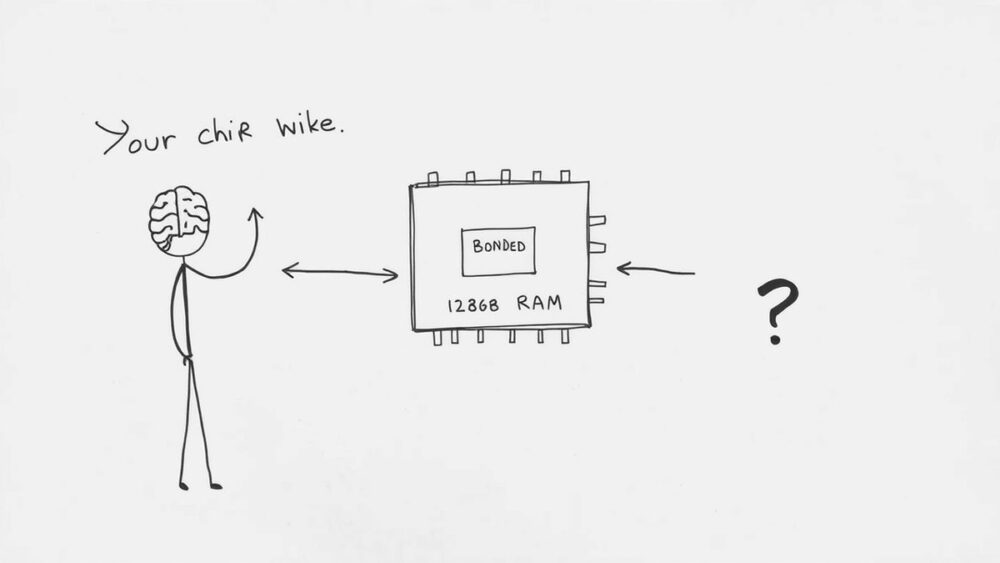
The M5 series introduces what Apple calls Fusion Architecture, a bonded chiplet strategy that merges two dies into a single high-performance system. This isn’t just a minor tweak; it’s a strategic pivot to improve yields and performance scaling. For pro users, the gains in single-core performance are particularly striking, with some reports suggesting a 1.35x speedup over the M3 Max. As one commenter noted,
Everyone else has failed to bump single core performance in years. Where are these single core gains coming from?
Beyond the raw CPU power, Apple is heavily leaning into AI capabilities, claiming up to 4x faster LLM prompt processing. This is paired with long-overdue increases in base storage, with the MacBook Pro now starting at 1TB and the MacBook Air finally moving to 16GB of RAM and 512GB of storage as standard. In practice, though, the community is already dissecting these marketing claims. One user pointed out a crucial nuance in the fine print:
By ‘up to 4x faster LLM prompt processing,’ they’re specifically referring to time to first token. So it’s not about token generation rate.
The Limits of Hardware Hype
Despite the silicon breakthroughs, significant pain points remain for the power user. The most glaring limitation is the 128GB unified memory ceiling. For researchers looking to run frontier models like Llama-3 70B or larger, this limit is a dealbreaker.
I was really hoping for 256GB, which would allow me to run frontier models locally. With 128GB, it’s still feasible for smaller models, but thin for the real heavy lifting.
There is also a growing sense of software fatigue. Many users are hesitant to upgrade not because of the hardware, but because of the state of macOS. The upcoming “Tahoe” release has become a lightning rod for criticism, with users describing the modern UI as unprofessional or unstable. This has created a paradoxical situation where the hardware is ready for the future, but the operating system feels like a step backward for many long-time fans. Furthermore, the gratuitous cost of RAM upgrades—charging $400 to jump from 16GB to 32GB—continues to sour the experience for those who remember the value-oriented Apple of old.
Navigating the M5 Value Proposition
So, who is this machine actually for? The consensus suggests that if you are still on an Intel-based Mac, the M5 is a transformative leap, offering up to 24 hours of battery life and a massive performance delta. However, for those already on M1 or M2 Max systems, the upgrade path is less clear.
I have a fairly maxed out M2 Ultra… and still cannot get this machine to choke on anything. I have not once felt the need to upgrade in years.
For the average developer or student, the MacBook Air with M5 is arguably the star of the show. By standardizing 16GB of RAM, Apple has finally addressed the most common complaint about their entry-level hardware. If you need local LLM performance or high-end 3D rendering, the Pro and Max chips are unparalleled in the laptop space. But for everyone else, the advice is simple: evaluate your specific workflow. If you aren’t hitting memory limits or struggling with LLM latency, your current Apple Silicon machine likely has years of life left. The M5 is a beast, but it’s a beast that requires a specific, high-demand cage to justify its cost.
💡 Key Takeaway: M5 silicon excels at local AI tasks, but the 128GB RAM limit restricts frontier model usage.