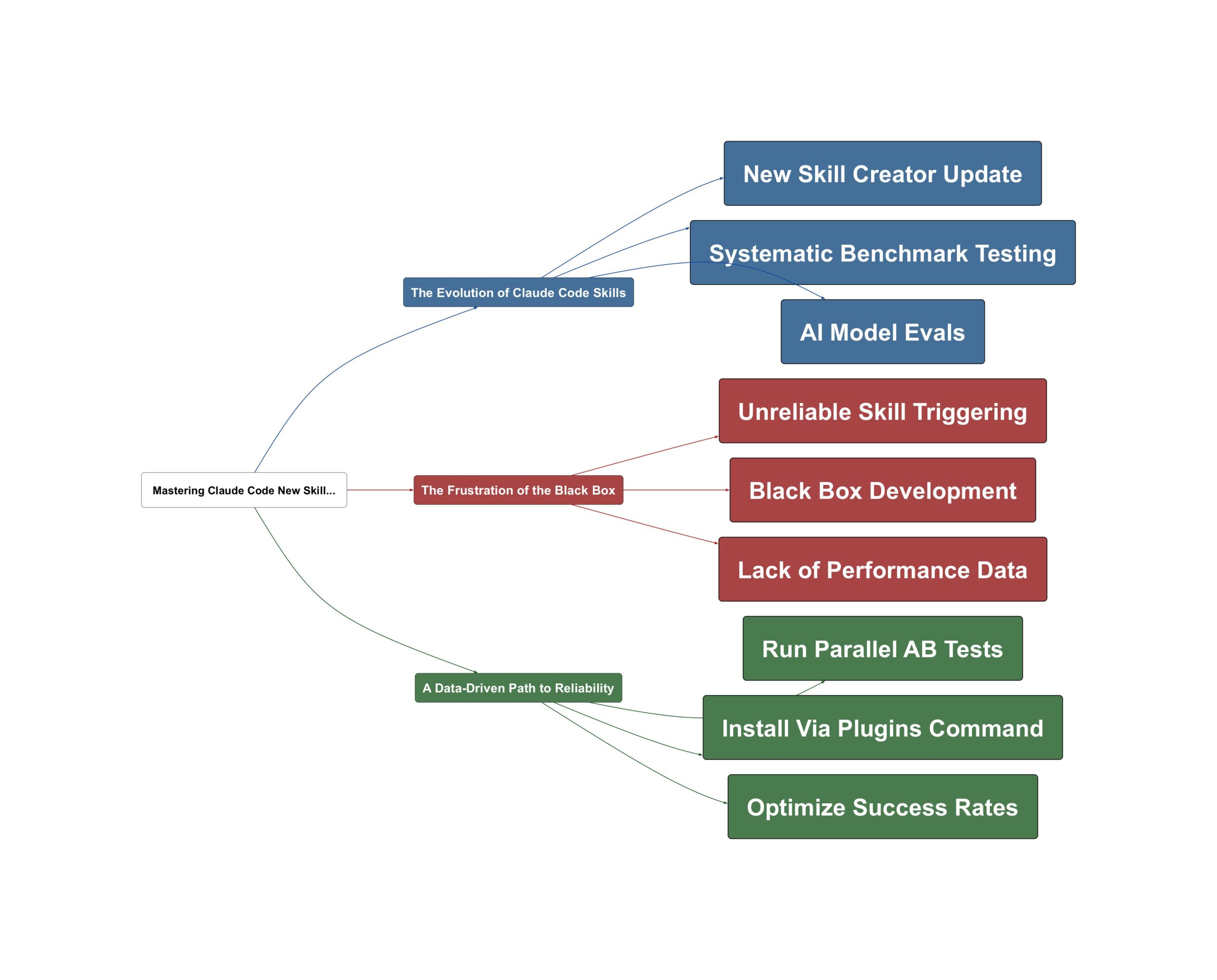
If you have been using Claude Code, you already know that skills are the secret sauce that makes the tool truly powerful, but until now, building them felt a bit like navigating in the dark. Anthropic just changed the game with a massive upgrade that transforms skill development from a guessing game into a precise science.
The Evolution of Claude Code Skills
The latest update introduces a revamped Skill Creator that brings professional-grade development workflows to every user. This isn’t just a minor tweak; it’s a fundamental shift in how we build and maintain AI capabilities. The new Skill Creator allows users to write evals, run benchmarks, and ensure skills remain functional even as underlying models evolve. As Chase AI points out, this move brings the rigor of traditional software engineering to the world of AI agents without requiring deep coding expertise.
Claude Code just got a massive upgrade to one of its most important features, skills, because just yesterday, Anthropic released the new and improved skill creator.
— Chase AI
Building on this, the tool now provides visible data on what is happening under the hood. Instead of hoping a skill works, you can now see parallel agents running tests, tracking metrics like pass rates, token usage, and total execution time. This transparency turns skills from mysterious scripts into reliable assets.
The Frustration of the Black Box
Have you ever spent hours crafting a custom skill only to have Claude completely ignore it when you need it most? You are not alone. Before this update, skill creation was often described as a “black box” because there was no systematic way to test or improve performance. Sound familiar? The biggest hurdle was the inconsistent trigger rate. One key insight from Chase AI highlights the frustration of inconsistent performance.
You expect Claude Code to use a skill and it doesn’t. Well, with the new skill creator, we can actually optimize that.
— Chase AI
The data shows that previously, it was often a coin flip whether the model would even invoke a specific skill. This 50/50 success rate made it nearly impossible to rely on custom workflows for professional agency work or complex development tasks. Without benchmarks, users were left guessing if their optimizations were actually making things better or worse.
A Data-Driven Path to Reliability
The resolution to these headaches lies in the new optimization suite. By using the Skill Creator to run AB tests, you can compare a skill’s performance against a baseline or test two different versions of the same skill. The results are dramatic: optimization can push skill trigger rates from a shaky 50% to a robust 80-90% reliability. This transition is essential for anyone looking to build a serious AI agency or automate complex developer workflows.
The testing is going to turn a skill that seems like it works into one you know that works.
— Chase AI
To get started, simply use the /plugins command inside Claude Code and search for “skill creator.” It takes less than a minute to install. Once active, the best way to learn the tool is to use Claude itself; as the creators note, Claude Code is remarkably good at explaining how to use its own internal tools. By shifting to this iterative, benchmark-heavy approach, you move from simple prompting to engineering high-performance AI tools that deliver consistent results every time.
💡 Key Takeaway: Use the new Skill Creator to turn unreliable AI prompts into data-validated, professional tools.
Video Sources
- Claude Code Skills 2.0 is Here
- The Best Claude Code Feature Just Got a MASSIVE Upgrade
- Claude Code Skills Just Got a MASSIVE Upgrade